
Calendar
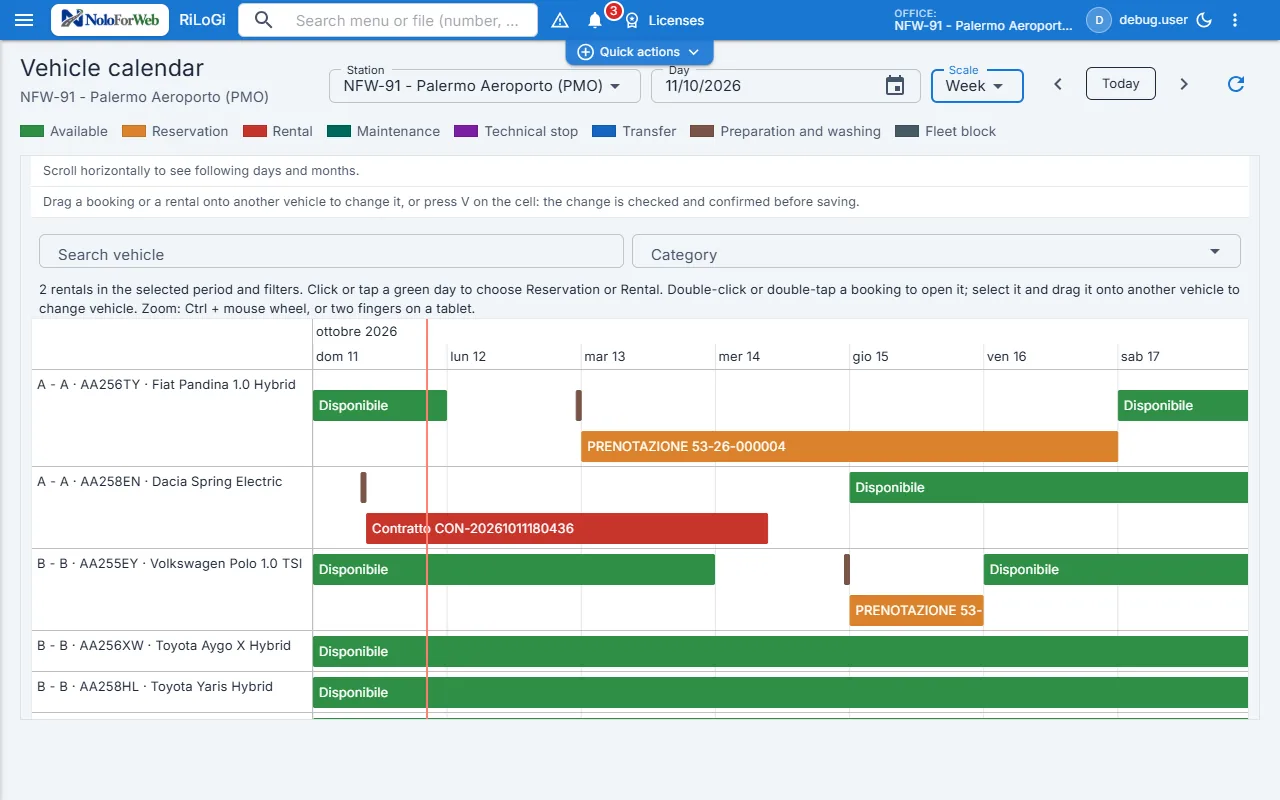
View by vehicle, by group and by branch: conflicts, cleaning time and late returns highlighted, vehicle reassigned by dragging.
Eight areas covering a full working day: from the phone enquiry to the end-of-month invoice.
Vehicles, trailers and equipment in one register, with group, home branch, owner and status. Road tax, inspection and insurance deadlines warn you before they become a problem.
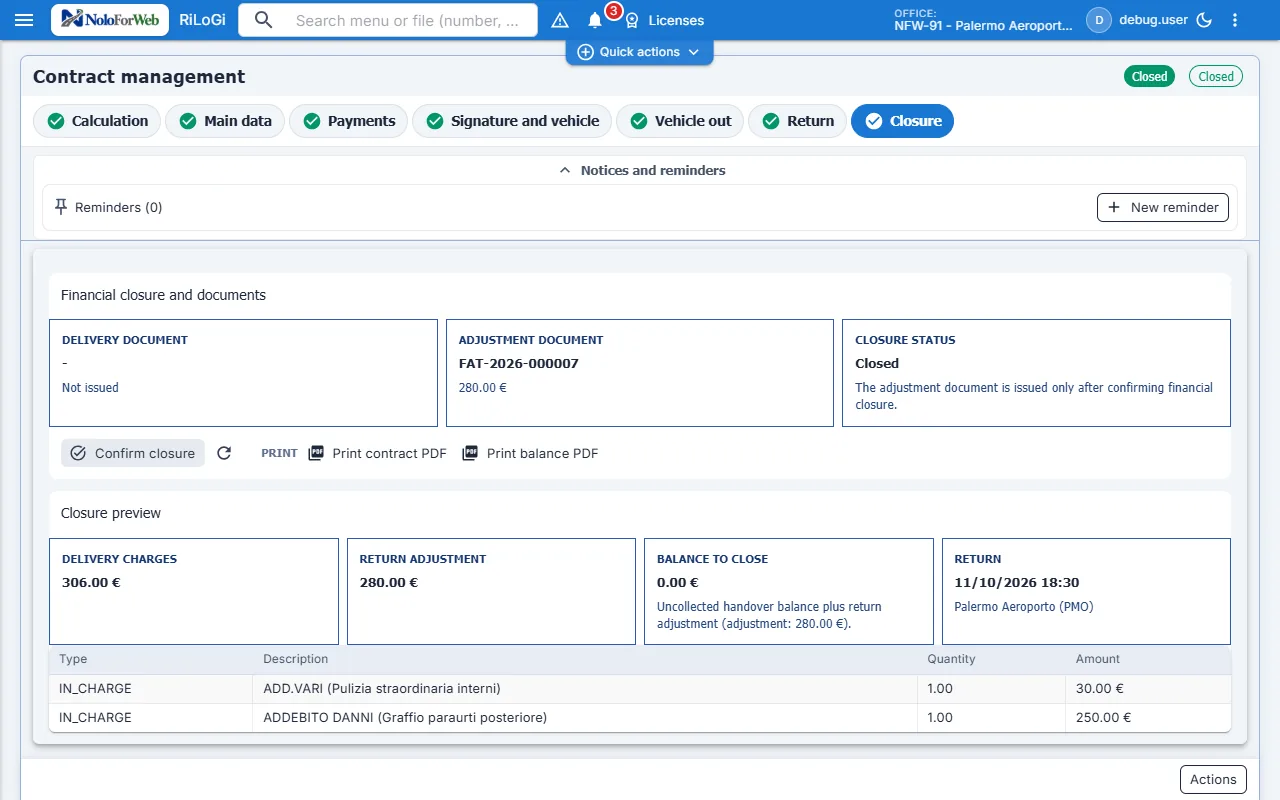
Excess mileage, missing fuel, damage, excess reduction and extensions all enter the total using the price list rules. On closing, the e-invoice comes out of the contract, not out of a second program.
View by vehicle, by group and by branch: conflicts, cleaning time and late returns highlighted, vehicle reassigned by dragging.
Customers, licences, documents and expiry dates, with checks on the required fields.
Revenue by group, fleet utilisation, unpaid items, with drill-down to the single contract.
Handover and return in the yard: photos, damage, signature and mileage from the phone.
Online bookings on your own domain, with rates and availability read from the rental system and customer check-in before pick-up.
Learn more →Brokers, agencies and tour operators with their own credentials: real-time availability and prices, bookings, commissions and statements in the rental system.
Learn more →We will show you just that one, on your own cases.
Today's work, inspection reports, payments and the invoice live in the same rental file. Online payments, SMS, WhatsApp and e-invoice delivery are switched on during onboarding, tested with your own providers' credentials.
As soon as you log in you see departures, returns and delays for your branch, with assignee and priority. No round of phone calls to find out what is going out.
The calendar by vehicle and branch flags conflicts, cleaning time and late returns. The dashboard shows revenue and utilisation, down to the single contract.
Photos, checklist, signature and PDF report from the phone, inside the rental file. AI suggests damage from the photos; an authorised operator always decides and charges.
You decide which documents, minimum photos and checks are needed before a vehicle leaves or comes back. Whoever approves damage and charges has a dedicated role.
Advance, balance and deposit through Nexi's secure payment page. Confirmations and reminders to customers by email, SMS and official WhatsApp.
The Italian e-invoice XML comes from the closed contract and goes to the SdI through Aruba, with the outcome in the rental file. Brand, documents, consents and integrations in one profile.
Screenshots of the software in a test environment: test data, personal names blurred. Configuration, permissions and enabled services determine available features.
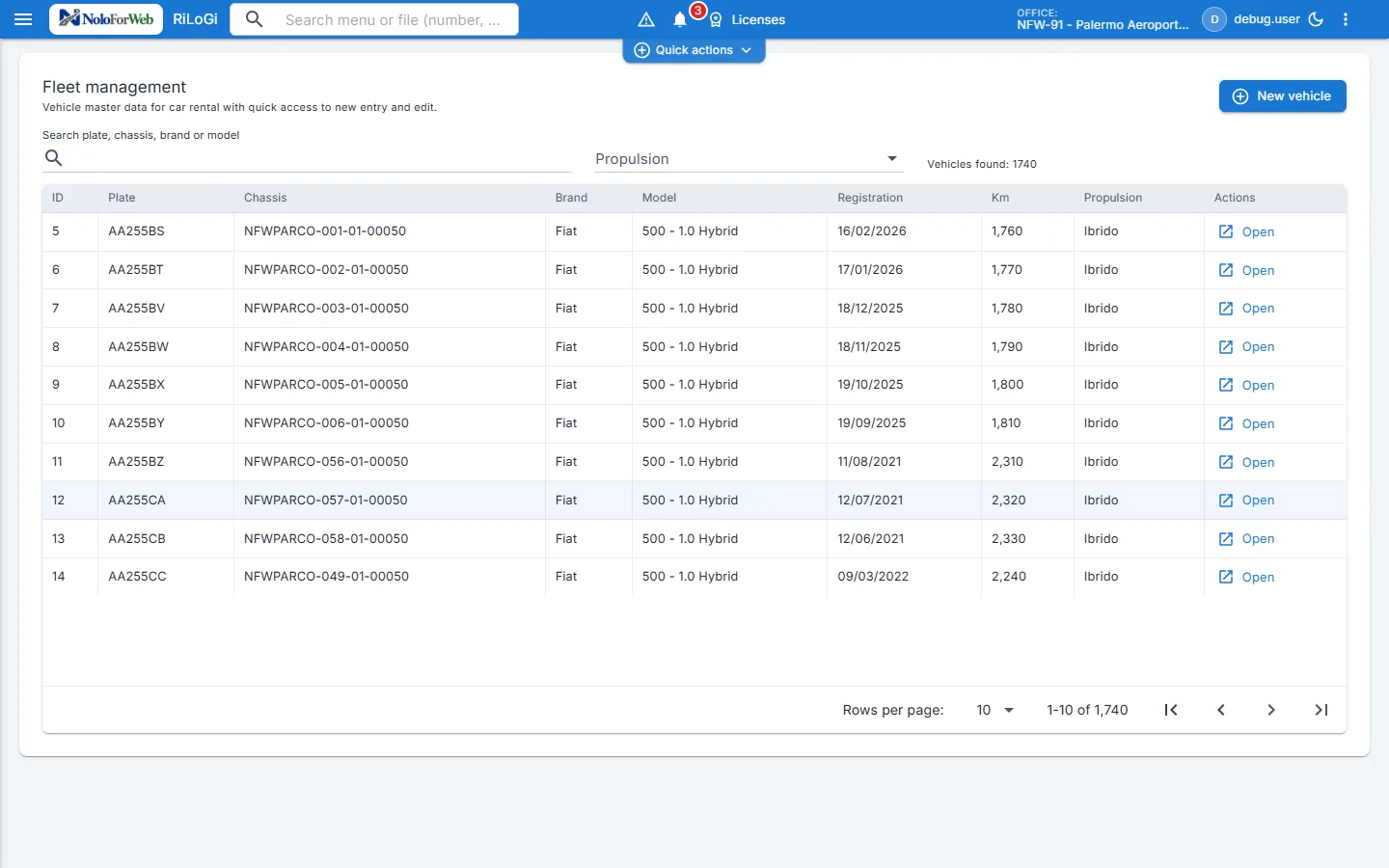
Vehicles by branch and category, bookings, contracts and downtime share an availability workflow. Changes must respect conflicts, preparation time and transfers. The dashboard adds operational and financial indicators with accessible details.
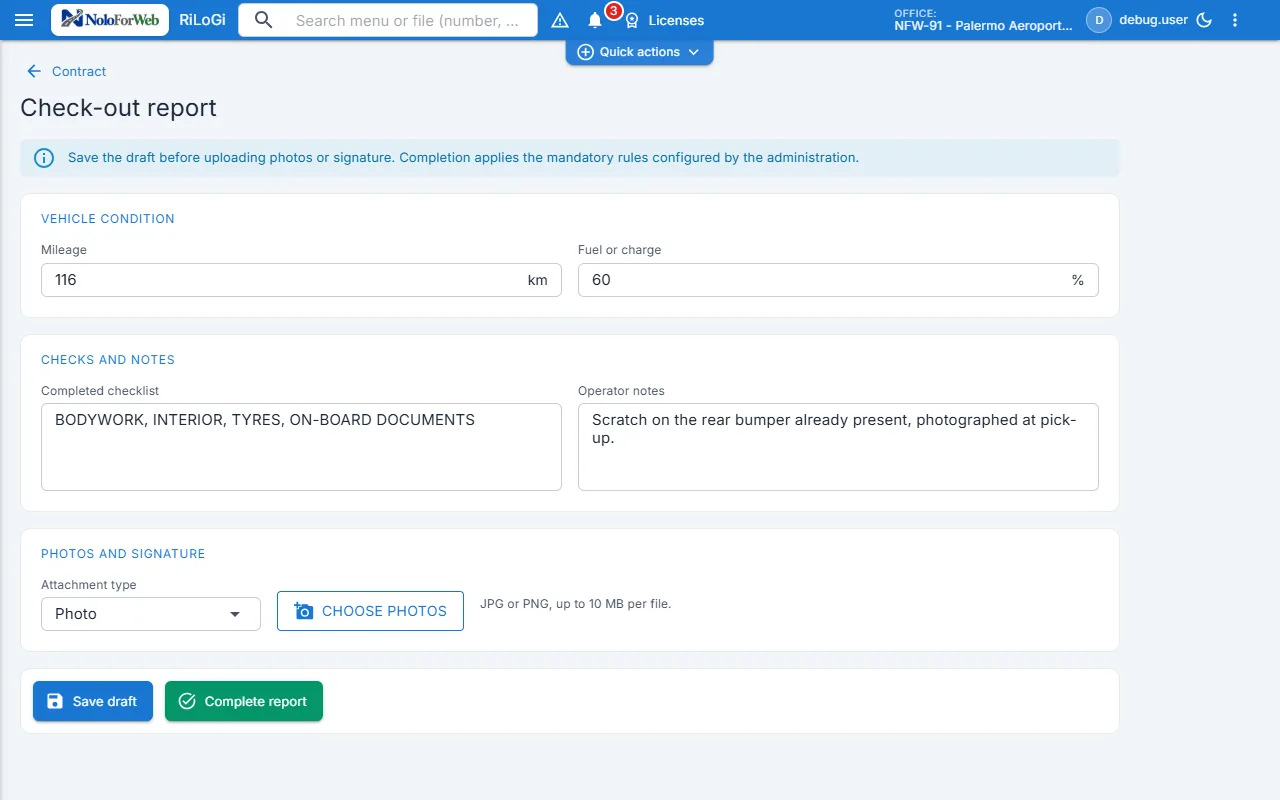
Collect checklists, photos and attachments at departure and return; link the PDF report and signature to the file. Admins configure operational prerequisites. AI photo analysis is a non-binding suggestion: people assess damage and authorize charges.
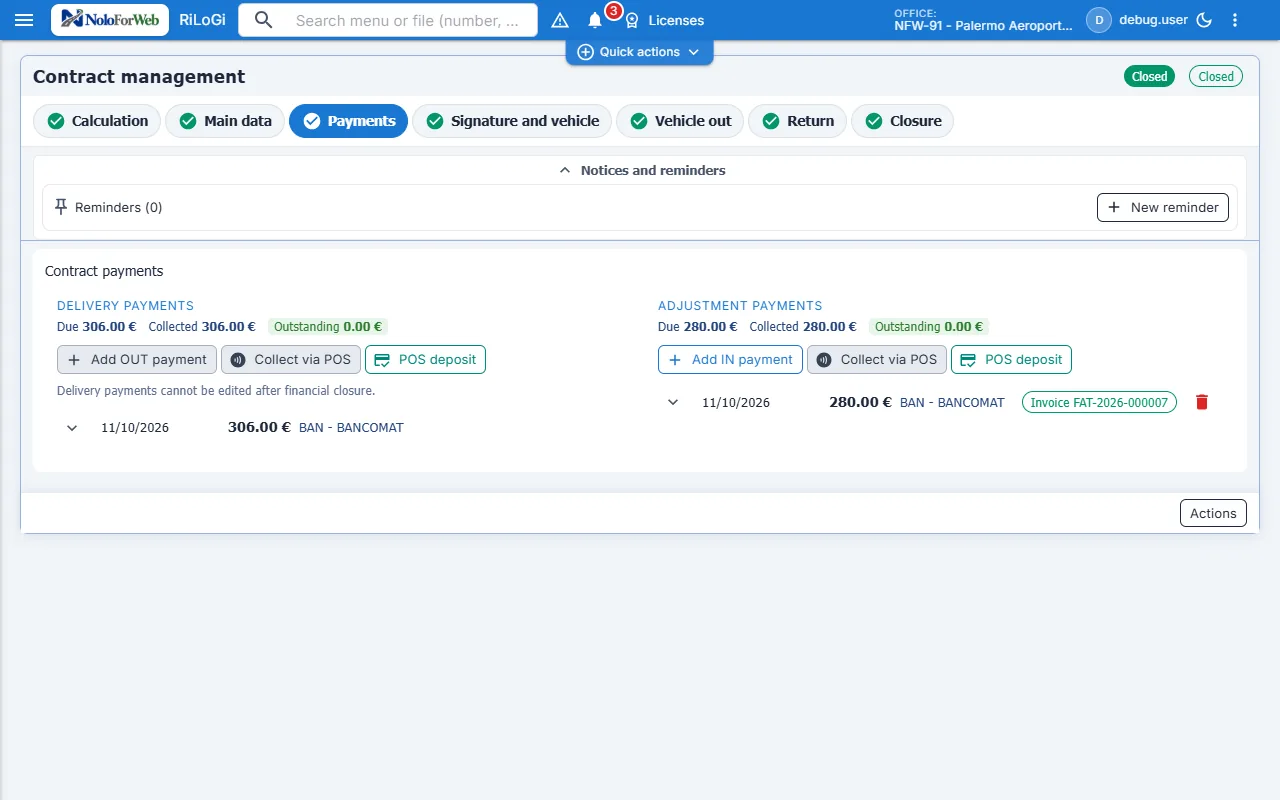
Advances, balances, deposits and damage charges are distinct. Deposits use preauthorization where supported; validity, capture and release depend on the provider. Notifications update the file without duplicate effects. Nexi and communication channels require credentials and testing; AI cannot initiate charges.
Customers accept the rental terms with a simple electronic signature or on paper; the contract receives the company's qualified signature. External pay-per-use OpenAPI eSignature service: requires credentials, a certificate and testing before activation.
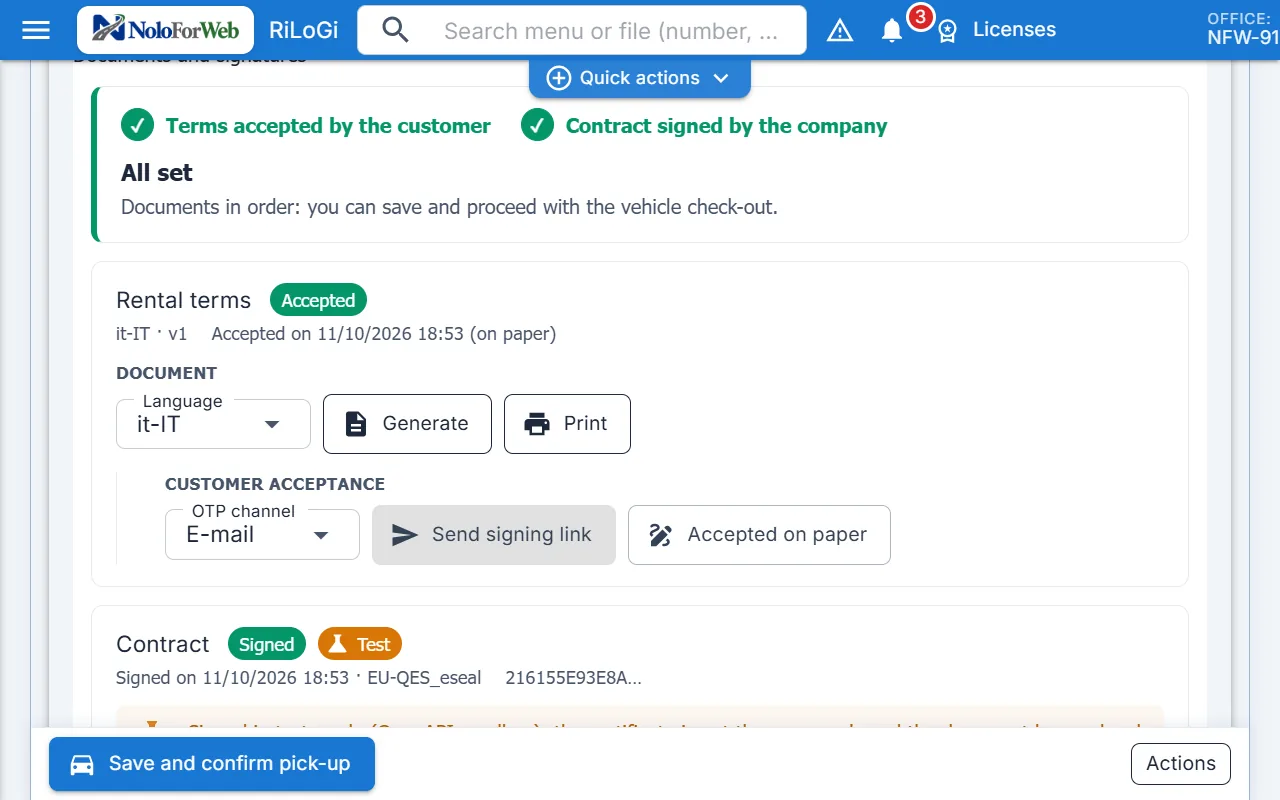
The terms PDF is generated from the company template in the driver's language. The customer receives a link (QR at the desk, e-mail or SMS), reads the document and signs with the OTP code sent by the service. Alternatives: print and sign on paper with optional scan, or a justified operator override recorded in the log.
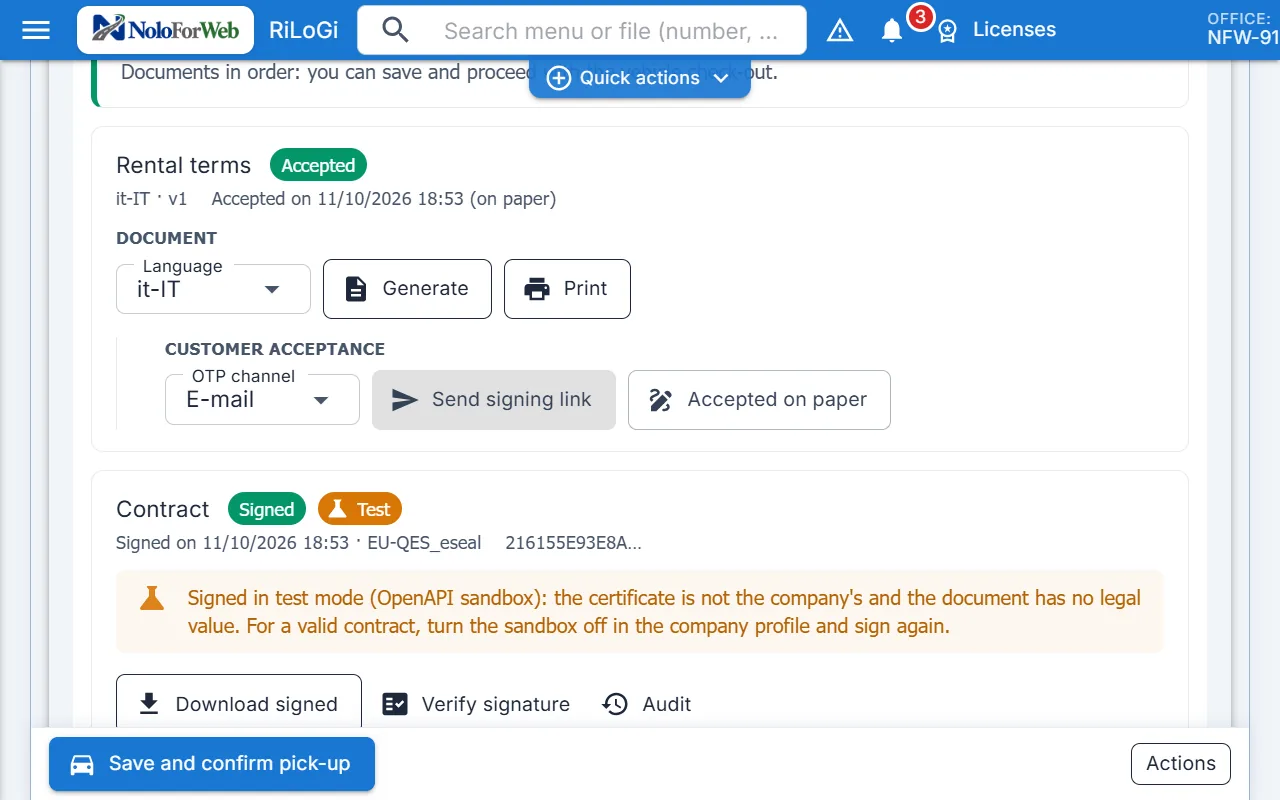
Once the terms are accepted, the company signs the contract with a qualified certificate (automatic or electronic seal) without operator action. Signed PDF, audit trail and signature verification stay archived in the file; if data changes after signing, the documents are flagged for regeneration.
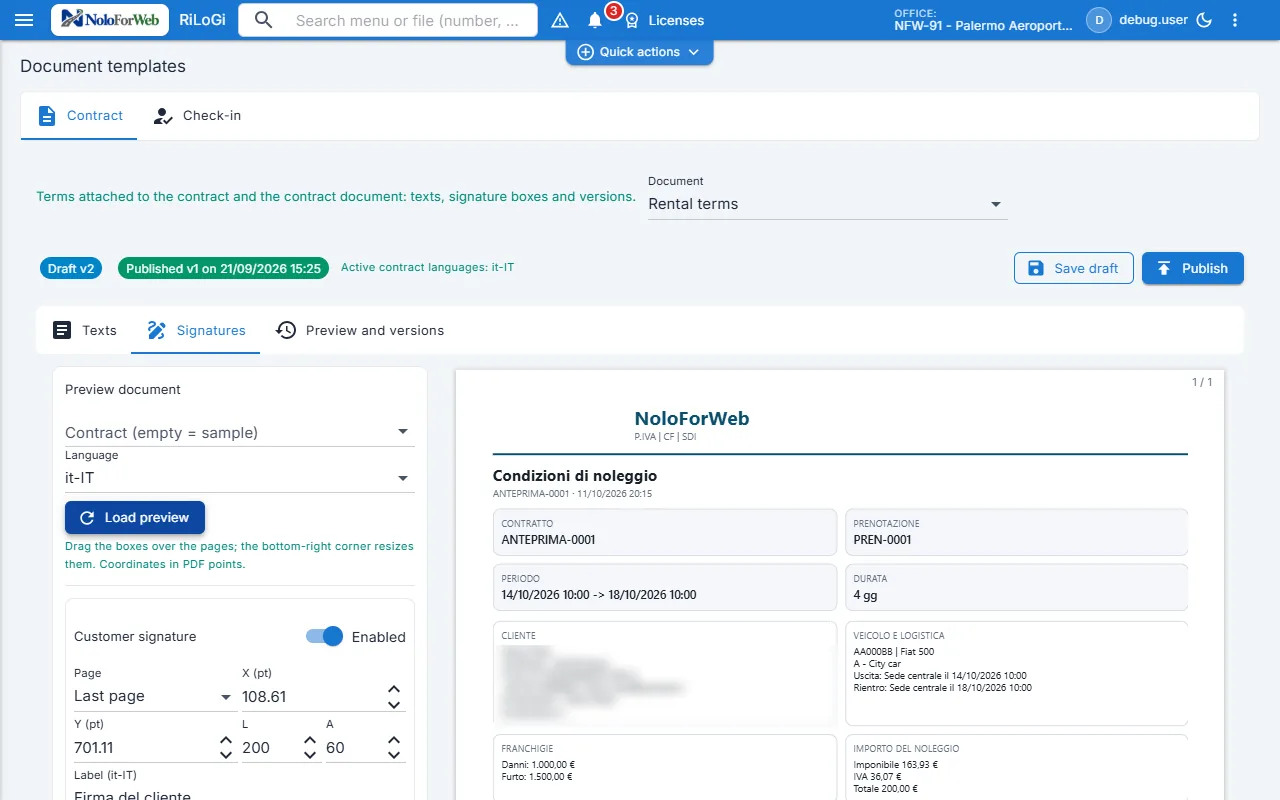
A dedicated page for the texts of terms and contract, section by section and language by language, with placeholders for rental data. Customer and company signature boxes are placed on the PDF preview. Draft and published versions, one active version per type.
Small changes that remove steps for operators and administrators.
The company decides whether accepted terms are required before issuing the contract. Without acceptance, delivery asks for a justified override; every choice stays in the file log.
Data, documents and branding, operating rules, integrations and AI, competitors: one profile, one save. Operating rules are no longer a separate page.
The contract signature starts the moment the terms are accepted. The queue only retries temporary service errors and expires unused links.
The booking portal on your own domain reads rates and availability from the rental system; customers upload documents and accept the terms before pick-up.
Learn more →Document reading, damage suggested by comparing photos, customer risk, suggested price and reports by email: NoloForWeb's AI proposes, the operator decides.
Learn more →From the system you use today to NoloForWeb: migration of customers, drivers, vehicles and open contracts with a preview and reasoned rejects, plus a guided setup.
Learn more →Price lists by period, group, zone and channel, approval before publishing, stop sales and comparison with competitor prices: the right price for every rental.
Learn more →Mandatory rental reports start from the contract: CaRGOS in Italy, SES.HOSPEDAJES and the DGT in Spain, according to the company's country.
Learn more →Brokers, agencies and tour operators book through the Broker API on your rates; commissions, credits and payments are tracked in the system.
Learn more →Cookie preferences
Choose which purposes you allow cookies for. Your choice lasts six months on this browser; find and change it via the "Cookie preferences" link at the bottom of every page.
No optional category is pre-selected. Closing the panel without saving is the same as not having chosen.